Feature 01
Text to Video
Type what you want to see. HappyHorse 1.0 AI Video Generator reads your prompt and builds a cinematic clip — camera angles, lighting, and subject motion included. No storyboard, no crew, no back-and-forth with a editor.

New releaseHappyHorse 1.0 is now available. Try it now
HappyHorse 1.0 is an AI video model by Alibaba, designed to turn text prompts or still images into 1080p video clips in approximately 38 seconds - ranked #1 in Text-to-Video and Image-to-Video on Artificial Analysis (no-audio categories).
Text, image, or reference to video. Choose a mode, set your parameters, then preview on the right.
Newer Model Available
Need stronger continuity for character or product videos?
HappyHorse 1.0 is still a fast choice for simple text-to-video and image-to-video generation. For smoother motion, synced audio, and up to 9 reference images for character, product, or scene consistency, use the newer HappyHorse 1.1 workflow.
Everything you need to generate, edit, and scale AI videos with HappyHorse 1.0 AI Video Generator — from text prompts to production-ready 1080p output in seconds.
Type what you want to see. HappyHorse 1.0 AI Video Generator reads your prompt and builds a cinematic clip — camera angles, lighting, and subject motion included. No storyboard, no crew, no back-and-forth with a editor.
Got a product shot or brand asset? Upload it and HappyHorse 1.0 AI Video Generator animates it into a video clip. The subject's look, proportions, and colors stay consistent frame to frame — no drifting, no distortion.
Edit existing video with plain English instructions. Tell HappyHorse what to change — a color, a background, a movement — and it applies the edit locally or across the whole clip. No timeline scrubbing, no keyframes. Just describe what you want different.
Upload a reference image to anchor style, character, or subject — then generate video that stays true to it. Supports stylized output, visual transformation, and lip-sync. Useful when consistency across shots matters more than starting from scratch.
Export at up to 1080p — sharp enough for paid ads, social content and client deliverables. No compression artifacts, no upscaling. What renders is what you download.
Generate clips anywhere from 3 to 15 seconds — long enough for a product demo or social ad, short enough for a punchy hook. Pick your length before you generate and get exactly what you need on the first try.
Generate multiple shots from a single session without losing visual continuity. Characters, settings, and lighting carry over between shots — so you can build a complete scene instead of stitching together unrelated clips.
String shots into a coherent narrative with consistent characters and scenes. HappyHorse AI keeps identity, wardrobe, and context locked across cuts — built for creators who need a beginning, middle, and end, not just a single moment.
Want independent benchmark data on these capabilities? Read the HappyHorse 1.0 review for speed, quality, and licensing results across real production scenarios.
Explore unedited 1080p videos generated directly from text or images — no post-processing applied. See exactly what HappyHorse 1.0 produces in real time.
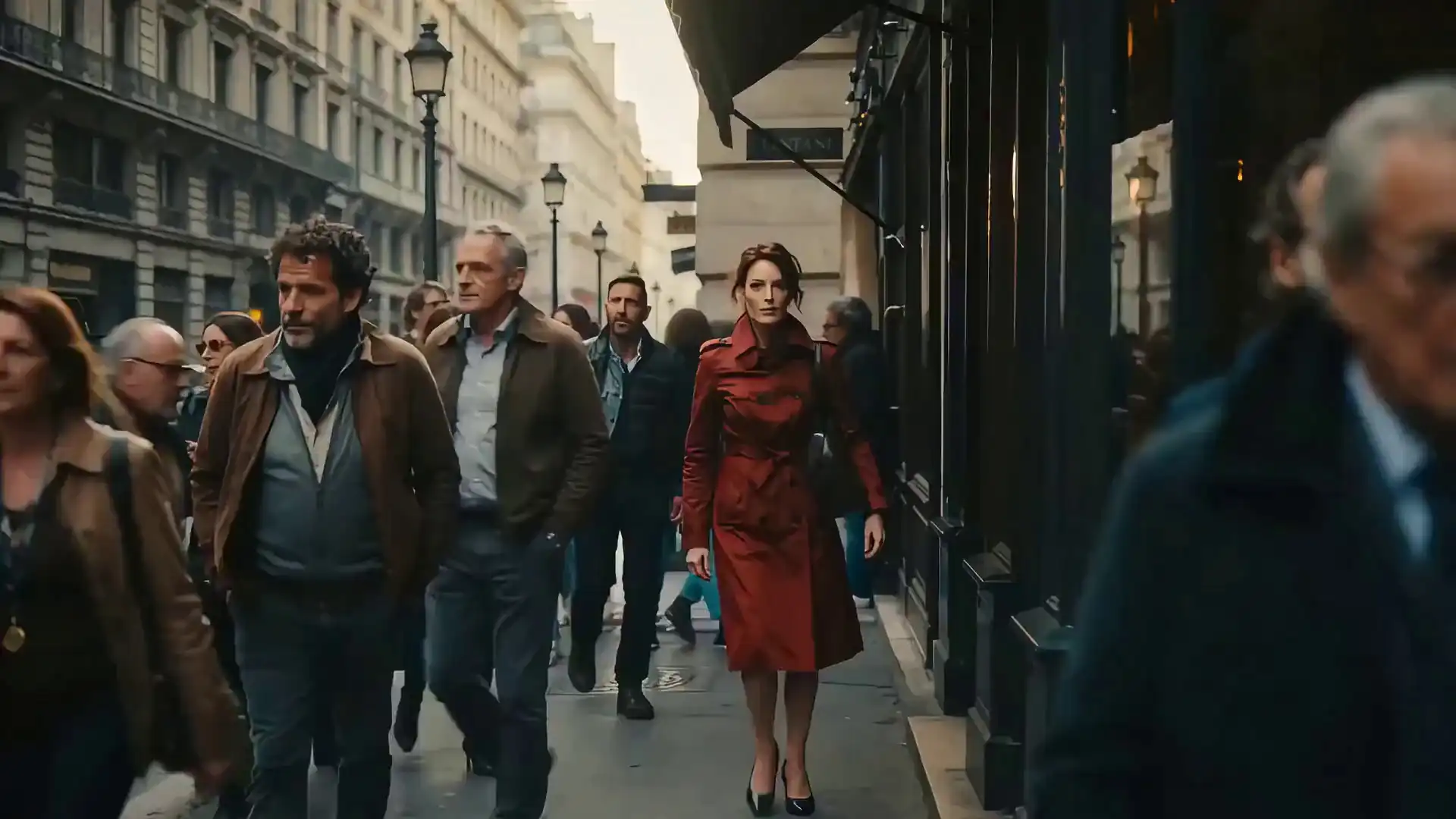
Text → cinematic urban scene · ~9s · 1080p
Product still → animated clip · color-accurate output
12-word prompt → landscape · commercial license included
Brand asset → motion clip · no post-production
Want the full gallery with exact prompts? Browse the HappyHorse 1.0 video examples — every clip is an unmodified 1080p output with the source prompt shown.
Three steps. Runs in browser. First AI video in ~38 seconds.
Describe your scene in plain English, upload a still image, or add a reference to lock style and subject identity. HappyHorse 1.0 accepts all three inputs — separately or combined.
Choose clip length (3–15s) and output resolution up to 1080p. Hit Generate. Your AI video renders in approximately 38 seconds — no page reload, no waiting screen.
Download at full resolution. The commercial license applies automatically — publish, run as ad creative, or deliver to a client. No sign-off required.
Getting better results starts with better prompts. Our HappyHorse 1.0 prompt guide covers every input type with ready-to-use templates for cinematic, product, and short-form video.
Explore practical workflows where HappyHorse 1.0 delivers real outputs — from ad creatives to e-commerce animations and YouTube content.
HappyHorse 1.0 enables performance marketers to turn product briefs or images into fully commercial ad video variants in minutes, directly ready for paid channels. Check pricing plans →
Creators can generate intros, B-roll, and transitions instantly, speeding up editing sessions without stock footage. Learn how →
Transform product images into accurate motion clips for storefronts, social ads, or emails, maintaining color and detail. See how HappyHorse compares to Seedance 2.0 →
String clips into coherent stories with consistent characters and scenes, ideal for social media and ads requiring beginning, middle, and end. Compare with Kling 3.0 →
Generate multiple shots in a single session while maintaining visual continuity — characters, lighting, and settings remain consistent.
See these use cases in action in the HappyHorse 1.0 video examples gallery — unmodified outputs with exact prompts included.
These rankings are from Artificial Analysis, an independent AI evaluation platform. We're linking directly to their leaderboard so you can verify the numbers yourself.
| Rank | Model | Source Type | Commercial License |
|---|---|---|---|
| 1 | HappyHorse-1.0 | 15B params | Included |
| 2 | Seedance 2.0 | Closed-source | Restricted |
| 3 | Kling | Closed-source | Restricted |
Source: Artificial Analysis AI Video Leaderboard · Rankings reflect published evaluations as of April 2026 and are updated as new data is released.
For a deeper look at real-world output quality, generation speed, and licensing, read the full HappyHorse 1.0 review.
Buy credits once and use them to create AI videos online. All paid credit packs include commercial usage rights, watermark-free exports, and browser-based video generation.
$9.9/One-time
Perfect for beginners to explore AI video generation with HappyHorse.
$29.9/One-time
Ideal for creators who need more capacity and better value.
$49.9/One-time
Best for production teams that need high-volume video generation.
$99.9/One-time
Maximum value for studios and businesses with large-scale needs.
One-time credit packs. No subscription required. Commercial usage rights included with paid credits.
HappyHorse 1.0 AI Video Generator is a browser-based AI video tool for creating short video clips from text prompts or still images. It supports text-to-video and image-to-video workflows, with output settings such as duration, aspect ratio, and resolution.
Enter a text prompt or upload an image, choose your video settings, then click generate. After the video is created, you can preview the result and download it for your project.
Yes. HappyHorse 1.0 supports text-to-video generation, so you can describe a scene, subject, action, camera style, or visual mood and turn that prompt into a short video clip.
Yes. Sign up and get 20 free credits — no credit card required. Free credits have limits on generation quantity and resolution. Paid plans unlock more credits, 1080p output, and priority queue access.
HappyHorse 1.0 is designed for short-form video generation. It supports video clips from 3 to 15 seconds, making it useful for social media posts, ad concepts, product demos, and quick creative tests.
HappyHorse 1.0 generates video at up to 1080p. Output files are standard formats compatible with major editing tools, ad platforms, and social media — no transcoding required. All plans support 720p and 1080p.
Yes. HappyHorse 1.0 supports clip durations from 3 to 15 seconds. Pick your length before generating. Shorter clips work well for social hooks and ads; longer clips suit product demos and brand storytelling.
HappyHorse 1.0 supports common aspect ratios including 16:9, 9:16, 1:1, 4:3, and 3:4. These options cover landscape, vertical, square, and portrait-style video formats.
HappyHorse 1.0 supports native lip-sync in 7 languages: English, Mandarin, Cantonese, Japanese, Korean, German, and French — generated in a single pass, no post-production dubbing needed.
Yes. All plans include full commercial usage rights. Publish, monetize, license to clients, or run as paid ad creative — no additional agreements or royalty fees required.
No. Videos generated with HappyHorse 1.0 are watermark-free, so you can use the downloaded output directly in your projects.
On Artificial Analysis Video Arena, HappyHorse 1.0 ranks #1 in Text-to-Video and Image-to-Video (no-audio), leading Seedance 2.0 by approximately 60 Elo points. Seedance 2.0 ranks #1 in audio-inclusive categories, where HappyHorse-1.0 is #2. Both models are accessible via API.
Yes. Use the built-in Video Edit mode to modify clips with plain English instructions — swap backgrounds, adjust colors, or redirect movement, locally or globally. Output files are also compatible with Premiere Pro, Final Cut Pro, and DaVinci Resolve.
1080p output. ~38 seconds per clip. Commercial license included. No installation. No credit card required.
Try HappyHorse 1.0Prefer generating on the go? Download the HappyHorse AI mobile app for iOS.