2026 ReviewAI Video Creation

HappyHorse 1.0 Review (2026): Is It Worth Using for AI Video Creation?

TL;DR: Quick Verdict

HappyHorse 1.0 is a short-form AI video generation tool for turning text prompts or still images into video clips. It is most useful for creators, marketers, and small teams that want to test AI video ideas quickly without building a full production pipeline.

It is not a full replacement for a traditional video workflow. You should confirm the latest resolution options, credit usage, audio controls, licensing terms, and output limits before using it for client work or paid campaigns.

HappyHorse Editorial Team
Quick Verdict

Quick Verdict

HappyHorse 1.0 is best suited for creators, marketers, and small teams that want to create short-form AI video from prompts or images. It can help with social content, product visuals, ad concepts, and creative testing.

It is not a complete replacement for a full video production workflow. Users should confirm resolution options, credit usage, audio settings, licensing terms, and output limits before using it for client or commercial projects.

What We Liked

  • Text-to-video and image-to-video - supports both prompt-based scenes and image-based video generation
  • Short-form video workflow - useful for social posts, ad concepts, product visuals, and creative testing
  • Browser-based use - lets users generate video without local setup
  • Up to 1080p output - available depending on supported settings and plan details
  • Fast iteration focus - designed for testing prompts and refining creative direction
  • Simple user path - enter a prompt or image, choose settings, generate, preview, and download

What Needs Work

  • Longer clips - needs better support for extended video sequences
  • Workflow integrations - needs more creative-tool and publishing integrations
  • Team features - needs shared workspaces, roles, billing, and project controls
  • Audio controls - needs clearer audio, dialogue, and lip-sync settings
  • Multimodal references - needs stronger image, video, audio, and style reference control
  • Multi-shot consistency - needs better character, object, and scene continuity
What Is It

What Is HappyHorse 1.0?

HappyHorse 1.0 is an AI video generation model for creating short video clips from text prompts or still images. It is built for users who want to explore AI video without managing local infrastructure.

The workflow is straightforward. You provide a prompt or image, choose available output settings, and generate a video clip. Actual output quality, generation time, resolution, and credit usage may vary by settings and platform conditions.

HappyHorse 1.0 works best when you give it a clear subject, action, visual style, and camera direction. Like most AI video tools, it may require several attempts to get the result you want.


Overview clip of HappyHorse 1.0 text-to-video and image-to-video output
A prompt or still image becomes a short video clip through the browser-based HappyHorse 1.0 workflow.

Input modes

Text-to-video and image-to-video

Output options

May vary by settings, plan, and generation mode

Workflow

Browser-based generation without local setup

Best For

Where HappyHorse 1.0 Fits Best

HappyHorse 1.0 is most useful when you need fast short-form video drafts from a clear prompt or a strong source image.

Best For

  • Social media creators testing short video ideas
  • Marketers creating early ad concepts
  • E-commerce teams animating product visuals
  • Designers exploring motion directions
  • Agencies preparing creative drafts
  • Users who want a browser-based AI video workflow

Limitations to Know

HappyHorse 1.0 is still best understood as a short-form AI video tool. It may not handle long continuous scenes, complex character continuity, or multi-shot storytelling as reliably as a traditional production workflow.

  • Long continuous scenes are not its strongest fit
  • Complex character continuity can require multiple attempts
  • Multi-shot storytelling may need additional editing
  • Prompt detail, image quality, selected settings, and video length can affect the final output
  • Important projects should be checked against the latest platform settings before production use
Visual Examples

What Short-Form Outputs Can Look Like

These sample panels keep the original review layout while focusing on the short-form prompt and image workflows described in this review.

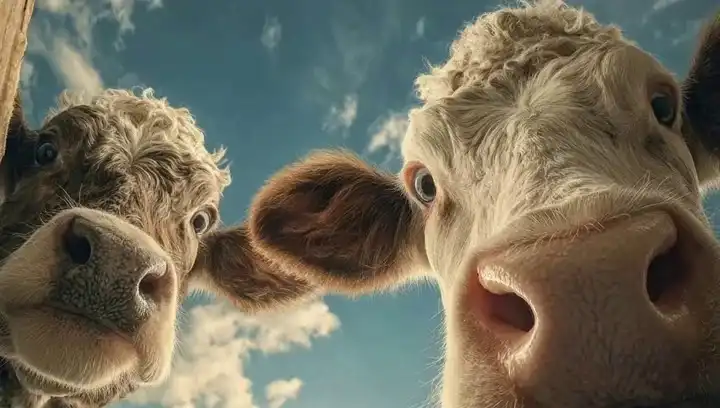
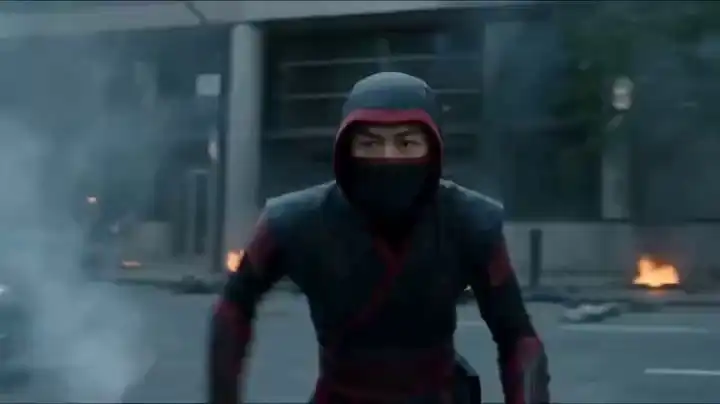
HappyHorse 1.0 review sample clip with cinematic lighting
Prompt-based short clips are useful for testing mood, camera direction, and visual style.
HappyHorse 1.0 review sample clip with close-up detail
Image-to-video workflows work best when the source image is clear and well composed.
HappyHorse 1.0 review sample clip with a wide scene
Short scenes can be useful for drafts, social assets, and early creative direction.
Production Checks

What to Check Before Using HappyHorse 1.0

Text + image

Input modes

Prompt-to-video and image-to-video workflows

Up to 1080p

Output options

Depending on plan, settings, and mode

Variable

Generation time

Affected by queue, length, and settings

CheckWhy it matters
ResolutionConfirm the latest supported output options before production use.
CreditsEstimate credit usage by length, resolution, mode, and selected settings.
AudioReview current audio, dialogue, and lip-sync controls before client work.
LicenseCheck current platform terms for ads, client projects, and paid campaigns.
Use Cases

Practical Short-Form Workflows

HappyHorse 1.0 is strongest when the goal is to create quick video drafts, product visuals, or ad concepts from prompts and images.

Social and Ad Concepts

Strong fit

Workflow

Use prompts to test short clips for social posts, paid ads, and campaign angles.

Best result

Best for fast creative exploration before a concept moves into production.

Product Visuals

Strong fit

Workflow

Start from a still product image and generate motion for storefront or ad testing.

Best result

Works best when the source image is clear and the motion direction is specific.

Design Motion Direction

Good fit

Workflow

Explore visual style, camera movement, and composition before committing to an edit.

Best result

Useful for mood boards, creative drafts, and early motion references.

Agency Drafts

Good fit

Workflow

Prepare quick motion previews for pitches, briefs, and stakeholder reviews.

Best result

Helpful for communicating direction, with final delivery still requiring review.

Pricing / Credits

Pricing and Credits

HappyHorse uses a credit-based workflow. Before generating at scale, check the latest pricing page for current credit rules, available resolutions, refund terms, and plan details.

Credit usage

Credit usage may depend on video length, resolution, generation mode, and selected output settings.

Plan details

Available resolutions, queues, and output limits may vary by plan and generation mode.

Terms and refunds

Before generating at scale, review the latest pricing page for current credit rules, refund terms, and commercial-use details.

Workflow Fit

HappyHorse 1.0 vs Full Production Workflow

FactorHappyHorse 1.0Full production workflow
Short-form clipsGood fit for social, ads, and product visualsTraditional editing remains better for polished multi-shot stories
Text-to-videoUseful when prompts include subject, action, style, and camera directionManual production offers tighter control over every shot
Image-to-videoUseful for animating still images and product visualsManual motion design is better for strict brand or layout control
Long videosMay require additional editing or multiple generationsBetter suited to continuous scenes and full-length deliverables
ReliabilityResults can vary by prompt, source image, settings, and queue conditionsMore predictable when deadlines and approvals are strict
Fit Assessment

Who Should Use HappyHorse 1.0?

Best Fit For

  • Social media creators testing short video ideas
  • Marketers creating early ad concepts
  • E-commerce teams animating product visuals
  • Designers exploring motion directions
  • Agencies preparing creative drafts
  • Users who want a browser-based AI video workflow

Review current credit and plan details before generating at scale. View pricing

Look Elsewhere If

  • Teams that need long continuous scenes as a primary deliverable
  • Projects requiring strict character, object, or scene continuity across many shots
  • Workflows that depend on advanced team roles, billing controls, or shared project management
  • Productions that need clearly defined audio, dialogue, and lip-sync controls before launch
FAQ

Frequently Asked Questions

Final Verdict

Final Verdict

4.2/5 Best for short-form creative testing

HappyHorse 1.0 is a practical AI video option for short-form content creation. It is most useful when you need to turn prompts or images into quick video drafts, social assets, product visuals, or ad concepts.

The main value is speed of creative exploration. The main caution is production reliability. If you need long videos, strict character consistency, advanced team controls, or clearly defined audio workflows, review the latest settings and limitations before committing to a larger project.

New to the tool? Follow our step-by-step HappyHorse 1.0 guide.